Widget Settings
Advanced settings in the admin panel control the widget’s appearance and the visitor registration form. These values come from the same source as widgetConfigs in the Widget API settings response.
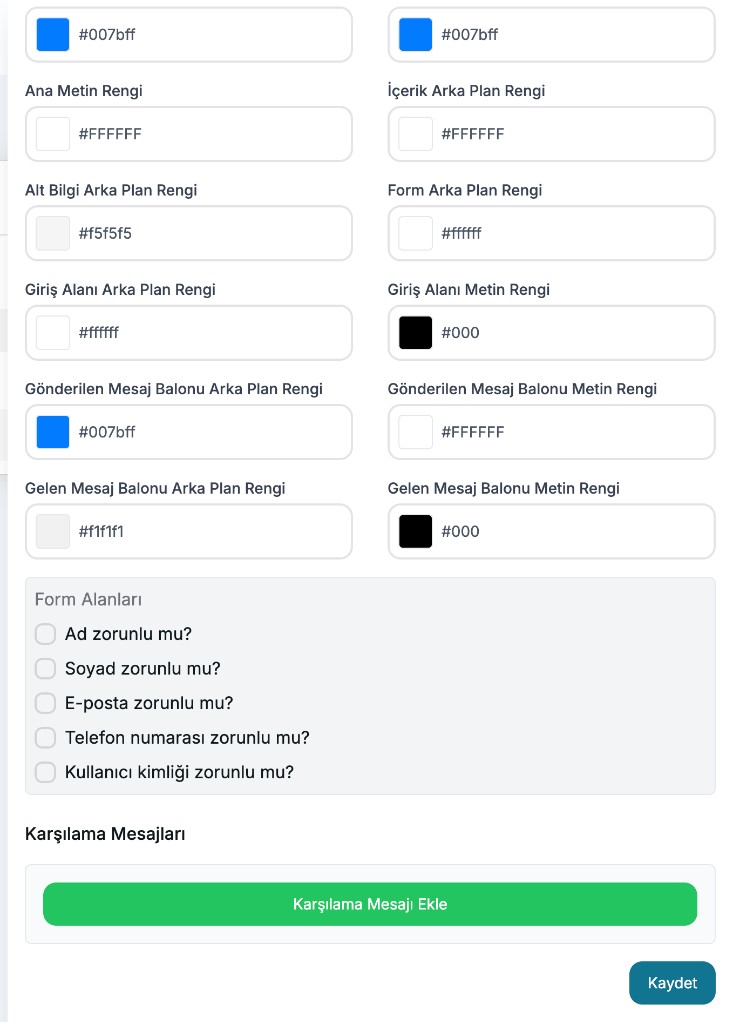
Colors
| Panel label | Config key | Example |
|---|---|---|
| Primary Background Color | primaryBackgroundColor | #007bff |
| Primary Background Stop Color | primaryBackgroundColorStop | #007bff |
| Primary Text Color | primaryTextColor | #FFFFFF |
| Content Background Color | contentBackgroundColor | #FFFFFF |
| Footer Background Color | footerBackgroundColor | #f5f5f5 |
| Form Background Color | formBackgroundColor | #ffffff |
| Input Background Color | inputBackgroundColor | #ffffff |
| Input Text Color | inputTextColor | #000 |
| Sent Message Bubble Background Color | sentMessageBubbleBgColor | #007bff |
| Sent Message Bubble Text Color | sentMessageBubbleTextColor | #FFFFFF |
| Received Message Bubble Background Color | receivedMessageBubbleBgColor | #f1f1f1 |
| Received Message Bubble Text Color | receivedMessageBubbleTextColor | #000 |
What are they for?
- Primary colors affect the header / launcher appearance.
- Sent bubble colors are for visitor messages.
- Received bubble colors are for bot / agent messages.
- Form and input colors are used to style the registration screen.
Form fields (formInputs)
You choose which information is requested before the visitor starts chatting:
| Panel question | Config value |
|---|---|
| Is first name required? | firstName |
| Is last name required? | lastName |
| Is email required? | email |
| Is phone number required? | phoneNumber |
| Is user ID required? | userId |
Rule: At least one of email, phoneNumber, or userId must be selected. Otherwise a visitor identity cannot be generated.
Greeting messages (greetingMessages)
With Add Greeting Message, you define messages that are written automatically to the chat after registration.
{
  "greetingMessages": [
    { "content": "Merhaba! Size nasıl yardımcı olabilirim?" }
  ]
}
Each added message must have non-empty content. Optional; if omitted, the chat starts empty.
Example settings (widgetConfigs)
{
  "widgetIconUrl": "https://os.chatbot.aithinks.net/company-assets/.../icon.png",
  "aiIconUrl": "https://os.chatbot.aithinks.net/company-assets/.../icon.png",
  "primaryBackgroundColor": "#007bff",
  "primaryBackgroundColorStop": "#007bff",
  "primaryTextColor": "#FFFFFF",
  "contentBackgroundColor": "#FFFFFF",
  "footerBackgroundColor": "#f5f5f5",
  "formBackgroundColor": "#ffffff",
  "inputBackgroundColor": "#ffffff",
  "inputTextColor": "#000",
  "sentMessageBubbleBgColor": "#007bff",
  "sentMessageBubbleTextColor": "#FFFFFF",
  "receivedMessageBubbleBgColor": "#f1f1f1",
  "receivedMessageBubbleTextColor": "#000",
  "formInputs": ["email", "firstName"],
  "greetingMessages": [{ "content": "Merhaba!" }]
}
WhatsApp-specific fields (apiKey, partnerApiKey, etc.) are not stored on a Widget app.